


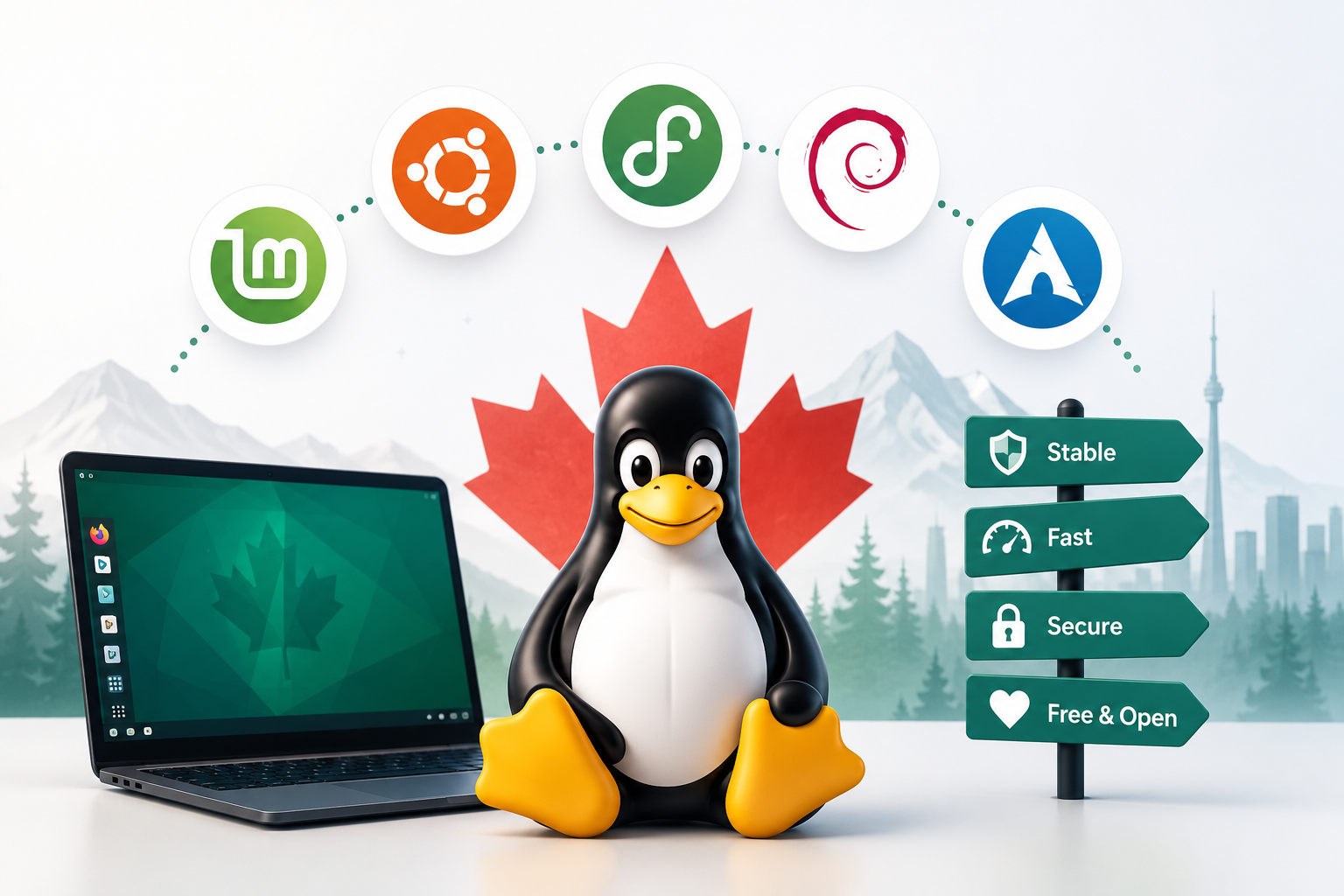
So you've decided to try Linux—that's exciting! But now you're faced with a confusing question: which Linux should you choose? You've probably heard names like Ubuntu, Mint, Fedora, Debian, and dozens of others. What's the difference? Why are there so many? And most importantly, which one is right for you?
Don't worry. This guide will walk you through everything you need to know to make a confident choice. We'll keep it simple, skip the technical jargon, and help you understand what all these different "flavors" of Linux actually mean.
What Exactly Is a Linux Distribution?
Let's start with the basics. When people say "Linux," they're actually talking about something called the Linux kernel. Think of the kernel as the engine of a car—it's the core part that makes everything work, but you can't really drive just an engine.
A Linux distribution (or "distro" for short) is the complete package. It's the kernel plus everything else you need: a desktop interface you can see and click on, programs to browse the web and edit documents, tools to install software, and all the behind-the-scenes stuff that makes your computer usable.
Here's a helpful way to think about it: imagine Linux is like pizza dough. The dough itself (the kernel) is the same basic ingredient. But different pizza places take that dough and add different toppings, sauces, and styles. One makes thin-crust Margherita, another makes deep-dish pepperoni, another makes gourmet vegetarian. They're all pizza, but they taste different and appeal to different people.
That's what Linux distributions are. They all use the same Linux kernel underneath, but they package it differently with different interfaces, different default programs, and different philosophies about how things should work.
When you download "Ubuntu" or "Linux Mint," you're downloading a complete, ready-to-use operating system—not just the bare Linux kernel. Everything is already put together for you.
A Little Bit of History (The Non-Scary Version)
Understanding where Linux came from helps explain why there are so many versions today.
Back in 1991, a Finnish university student named Linus Torvalds was frustrated with the operating systems available at the time. So he decided to create his own—just as a hobby project. He wrote the first version of Linux in his dorm room and shared it on the internet, asking other programmers if they wanted to help improve it.
Here's the revolutionary part: Linus made Linux open source. That means he shared all the code publicly and said, "Anyone can use this, modify it, and share their own versions—for free." This was radical. Most software companies kept their code secret and charged money for it.
Programmers around the world got excited. They started contributing improvements, fixing bugs, and adding features. Linux grew quickly because thousands of people were working on it together, all for free.
But here's where distributions come in. Linux itself—the kernel—is just that engine we talked about. To make a usable computer system, you need to add a lot more: a way to display graphics, programs for everyday tasks, tools to manage files, and so on.
Different groups of people started putting together their own complete packages. Some wanted a system for servers. Others wanted something for desktop computers. Some prioritized stability, others wanted the newest features. Each group created their own "distribution" of Linux.
The first major distribution was called Slackware, created in 1993. Then came Debian in 1993, Red Hat in 1994, and many others. Ubuntu, which is now the most popular for beginners, didn't come along until 2004—but it was built on top of Debian, using all that earlier work.
This is the beauty of open source: anyone can take an existing distribution, modify it to suit different needs, and release their own version. That's why we have so many today. They're all part of the same family tree, branching off from each other.
Why Are There So Many Distributions?
If you're coming from Windows, this might seem weird. There's just "Windows," right? (Well, Windows 10, Windows 11, but they're all made by Microsoft.) Why does Linux need hundreds of different versions?
The answer is freedom and choice.
Because Linux is open source and free, anyone can create their own version tailored to specific needs. And people do! Here are some reasons why different distributions exist:
Different purposes: Some distributions are designed for everyday desktop use (like Ubuntu). Others are built for servers running websites. Some are made for old computers with limited power. Others are designed for security experts or programmers. There are even distributions made specifically for artists, musicians, or gamers.
Different philosophies: Some distributions believe in only including completely free, open-source software—nothing proprietary at all. Others are more practical and include some proprietary drivers or programs to make things work better. Some prioritize cutting-edge features, while others prioritize rock-solid stability.
Different interfaces: Some distributions come with a Windows-like interface. Others look more like a Mac. Some are minimalist and simple, others are feature-rich and customizable. You can choose what feels comfortable to you.
Different levels of user control: Some distributions do everything for you automatically—they're designed to "just work" out of the box. Others give you more control and expect you to make decisions about how things are set up. Beginners usually want the first kind.
Regional and language focus: Some distributions are created by communities in specific countries and have excellent support for local languages and needs. There are distributions popular in Germany, Brazil, China, and yes, even Canada.
Think of it like restaurants. Why are there so many different restaurants when everyone needs to eat? Because people have different tastes, different dietary needs, different budgets, and different preferences. Linux distributions are the same—there's something for everyone.
For you as a beginner, this is actually good news. It means there are distributions specifically designed to be easy for people switching from Windows. You don't have to use the complicated ones.
The Main Distribution Families
Here's something that makes this easier to understand: most distributions aren't completely unique. They're based on other distributions, creating "families."
Think of it like languages. French, Spanish, and Italian are all different languages, but they're all based on Latin. They share similarities because they come from the same root. Linux distributions work the same way.
The three main families you'll hear about are:
The Debian Family
Debian is one of the oldest distributions, known for being very stable and reliable. Many other distributions are based on Debian, including:
- Ubuntu (the most popular for beginners)
- Linux Mint (based on Ubuntu, which is based on Debian)
- Pop!_OS (another Ubuntu-based option)
If a distribution is "Debian-based," it means it uses Debian's foundation and tools. The advantage? Huge software availability and lots of online help, because so many people use Debian-based systems.
The Red Hat Family
Red Hat is a company that makes enterprise Linux for businesses. Their free, community version is called Fedora. Distributions in this family include:
- Fedora (good for people who want newer features)
- CentOS (used on servers)
- Red Hat Enterprise Linux (the paid business version)
These distributions are known for being more cutting-edge and including newer technologies faster.
The Arch Family
Arch Linux is for advanced users who want to build their system from scratch. We'll be honest: Arch is not for beginners. But it's worth mentioning because you'll see it discussed online. Distributions based on Arch include:
- Manjaro (makes Arch easier, but still not ideal for first-timers)
- EndeavourOS (similar to Manjaro)
For your first Linux experience, stick with the Debian family. That's where the beginner-friendly options are.
The Best Distributions for Beginners
Let's get practical. Here are the distributions that are actually good choices for someone switching from Windows. We'll keep this simple and honest.
Ubuntu
What it is: The most popular Linux distribution for desktop users, created by a company called Canonical.
Who it's for: Anyone switching from Windows who wants something that "just works" with lots of support available.
Key characteristics:
- Very beginner-friendly with a clean, modern interface
- Huge community, so finding help online is easy
- Massive software library—almost any Linux program is available for Ubuntu
- Regular updates every six months, with long-term support versions every two years
- Works well on most hardware right out of the box
- Canonical has an office in Montreal, so there's a Canadian connection
The honest truth: Ubuntu is the "safe choice." It's what most people recommend to beginners, and for good reason. It's polished, well-supported, and has been refined over nearly 20 years. If you're unsure, choose Ubuntu.
Potential downsides: Some people don't like that Ubuntu includes some Amazon integration and collects some usage data (though you can turn this off). The interface might feel a bit different from Windows at first.
Linux Mint
What it is: A distribution based on Ubuntu, but designed to look and feel more like Windows.
Who it's for: People who want Linux but want the transition from Windows to be as smooth as possible.
Key characteristics:
- Interface looks very similar to Windows with a taskbar at the bottom and a start menu
- Based on Ubuntu, so you get all of Ubuntu's software and support
- Includes media codecs and proprietary software out of the box (plays DVDs, MP3s, etc. without extra setup)
- Very stable and conservative—doesn't change things dramatically between versions
- Slightly lighter on system resources than Ubuntu
The honest truth: If you want Linux but you're nervous about things being too different, Mint is your best bet. It's designed specifically for Windows refugees. Many people find it even easier than Ubuntu.
Potential downsides: Because it's based on Ubuntu, updates come a bit later. It's not quite as cutting-edge.
Fedora
What it is: A community-driven distribution sponsored by Red Hat, featuring newer technologies.
Who it's for: People who want to experience newer features and don't mind occasional rough edges.
Key characteristics:
- Gets new features and software versions faster than Ubuntu or Mint
- Very secure and stable despite being more current
- Clean, modern interface (uses GNOME desktop by default)
- Strong focus on open-source software only
- Excellent for developers and programmers
The honest truth: Fedora is a great distribution, but it's slightly less beginner-friendly than Ubuntu or Mint. It's more "pure" in its open-source philosophy, which means it doesn't include some proprietary drivers or codecs by default—you might need to add them yourself. If you're comfortable with computers and want something a bit more advanced, Fedora is excellent.
Potential downsides: Smaller community than Ubuntu, so slightly less help available online. Updates every six months can sometimes require more attention.
Debian
What it is: The "parent" distribution that Ubuntu is based on, known for rock-solid stability.
Who it's for: People who prioritize stability over having the newest features, or who want to learn Linux more deeply.
Key characteristics:
- Extremely stable—software is thoroughly tested before inclusion
- Huge software repository
- Very respected in the Linux community
- Can run on almost any hardware, including very old computers
- Completely community-driven, not backed by any company
The honest truth: Debian is wonderful, but it's not quite as polished for beginners as Ubuntu or Mint. The installation process is a bit more involved, and you might need to do more manual setup. It's a great "second distribution" after you've gotten comfortable with Linux.
Potential downsides: Software versions are older because stability is prioritized. The installation isn't as streamlined as Ubuntu's.
How to Choose Your First Distribution
Now that you know the main options, how do you actually decide? Ask yourself these questions:
Do you want the easiest possible transition from Windows?
If yes: Choose Linux Mint. It's designed to feel familiar, and you'll be productive immediately.
Do you want the most support and help available online?
If yes: Choose Ubuntu. It has the largest community, so any question you have has probably been answered already.
Do you want the newest features and software?
If yes: Consider Fedora. But be aware it's slightly more advanced.
Do you have an older computer that's running slowly?
If yes: Try Linux Mint with the XFCE desktop (a lighter version), or Lubuntu (a lightweight Ubuntu variant). Both run well on older hardware.
Are you comfortable with computers and want to learn more?
If yes: Ubuntu or Fedora are both good choices. Ubuntu if you want easier, Fedora if you want more cutting-edge.
Do you just want something that works without fuss?
If yes: Ubuntu or Linux Mint. Both are designed to "just work."
Here's another way to think about it:
- Most people: Ubuntu
- Want it to feel like Windows: Linux Mint
- Want newer features, comfortable with computers: Fedora
- Want maximum stability, willing to learn: Debian
You really can't go wrong with any of these. They're all good, solid distributions that thousands of Canadians use every day.
My Honest Recommendation
Let me be direct with you. After explaining all the options, here's what I actually recommend:
For most beginners: Start with Ubuntu.
Why? Because it hits the sweet spot between being easy to use and being powerful. It has the largest community, which means:
- More tutorials and guides written for it
- More questions already answered on forums
- More software packaged specifically for it
- More likely that someone in your city uses it and can help
Ubuntu is polished, professional, and has been refined over nearly 20 years. It's what most Linux users recommend to their friends and family who want to try Linux.
If you really want something that feels like Windows: Choose Linux Mint.
Mint is fantastic for people who find change stressful. It looks familiar, works intuitively, and you'll feel at home immediately. There's no shame in choosing the easier path—that's what it's designed for.
What about Fedora or Debian?
They're both excellent, but I'd suggest trying Ubuntu or Mint first. After you've used Linux for a few months and feel comfortable, you can always try other distributions. Many Linux users enjoy "distro hopping"—trying different distributions to see what they like best. Your first distribution doesn't have to be your forever distribution.
A word of warning about Arch Linux and similar distributions:
You'll see people online talking about Arch Linux, Gentoo, and other "advanced" distributions. Some people will even suggest them to beginners, saying "you'll learn more."
Here's the truth: those distributions are for people who enjoy tinkering with their system and have time to troubleshoot issues. They require reading documentation, using the command line extensively, and solving problems yourself. They're rewarding if that's what you want, but they're frustrating if you just want a working computer.
Don't start with Arch. It's like learning to drive in a Formula 1 race car. Sure, you'll learn a lot, but you'll also crash a lot. Start with something designed for beginners, get comfortable, and then explore advanced options if you're interested.
The same goes for distributions like Manjaro (Arch-based but easier), Gentoo, or Slackware. They're not bad—they're just not designed for your first Linux experience.
Next Steps: Making Your Choice and Moving Forward
Okay, you've learned about distributions and you're ready to choose one. Here's what to do next:
Step 1: Do a little more research
Visit the official websites of the distributions you're interested in:
- Ubuntu: ubuntu.com
- Linux Mint: linuxmint.com
- Fedora: getfedora.org
Look at screenshots. Watch some YouTube videos of people using them. See which one appeals to you visually and philosophically.
Step 2: Try before you install
Remember how we mentioned you can try Linux from a USB stick without installing it? Do that! You can test-drive Ubuntu, Mint, or Fedora without changing anything on your computer.
Make a USB stick for each one you're interested in (you can reuse the same USB stick—just remake it with a different distribution). Boot from it, click around, see how it feels. You'll quickly get a sense of which one feels right.
Step 3: Check for Canadian community support
Search for "[distribution name] Canada" or "[distribution name] [your city]" to see if there are local user groups or forums. For example:
- Ubuntu Canada has an active community
- Many Canadian cities have Linux user groups that welcome beginners
- Reddit has r/linux_canada and r/LinuxCanada communities
Having local support can be really helpful, especially when you're starting out.
Step 4: Make your choice and commit (for now)
Pick one. Don't overthink it. Remember, you can always try a different distribution later. Your files and documents will work on any Linux distribution—they're just files.
Many people try Ubuntu first, then later switch to Mint or Fedora or something else. That's completely normal. Think of your first distribution as your "learning distribution." It's where you'll figure out how Linux works.
Step 5: Follow the installation guide
Once you've chosen, follow an installation guide for that specific distribution. The process is similar for all of them:
- Download the distribution
- Create a bootable USB stick
- Boot from the USB
- Try it out
- Install it (either alongside Windows or replacing it)
Most distributions have excellent installation guides on their websites. Ubuntu's is particularly good.
Step 6: Give it time
Don't judge your chosen distribution in the first day or even the first week. Give yourself at least two weeks to get comfortable. The first few days will feel strange—that's normal when learning anything new.
After two weeks, you'll have a much better sense of whether you like it. If you don't, try a different distribution. No harm done.
Step 7: Join the community
Once you're up and running, introduce yourself in a forum or subreddit. Say "Hi, I'm new to Linux, I just installed [distribution name], and I'm excited to learn." People love helping enthusiastic beginners.
The Linux community in Canada is friendly and welcoming. From Halifax to Vancouver, there are people using Linux who remember what it was like to be new and are happy to help.
You're Ready to Choose
You now know more about Linux distributions than most people who've been using Linux for years. You understand what a distribution is, why there are so many, and which ones are good for beginners.
Here's the secret: the best distribution is the one you'll actually use. If Ubuntu feels right, use Ubuntu. If Mint feels more comfortable, use Mint. If you're drawn to Fedora's philosophy, try Fedora.
There's no wrong choice among the beginner-friendly options. They're all good. They're all free. They're all supported by passionate communities.
The Linux world is big and welcoming. Whether you're in Toronto, Montreal, Vancouver, Calgary, or a small town in Saskatchewan, you're joining a global community of people who believe software should be free and open.
Your journey is just beginning. Pick a distribution, install it, and start exploring. You've got this.
And remember: if you need help, the community is here. Canadians helping Canadians, and people around the world helping each other—that's what Linux is all about.
Welcome to the world of Linux distributions. Enjoy the journey!
Quick Decision Guide:
- "I just want it to work easily" → Ubuntu
- "I want it to feel like Windows" → Linux Mint
- "I want the newest features" → Fedora (but be ready to learn a bit more)
- "I have an old, slow computer" → Linux Mint (XFCE edition) or Lubuntu
- "I'm still not sure" → Ubuntu (it's the safe bet)
What NOT to choose as a beginner:
- Arch Linux
- Gentoo
- Slackware
- Any distribution described as "for advanced users"
Start simple. You can always explore more later.